

Google added its own adblocker to Chrome back in 2017. These days, Chrome will automatically block ads on “websites that have poor ad experiences.” But why should Google, the biggest advertising company in the world, get to draw the line of what’s a “poor experience” for everyone?
We’ve all using adblockers now — everyone using Google Chrome is just using Google’s vision of an adblocker. But you might have your own opinion about what constitutes a “poor experience.”
When I explained why Brave is my favorite Windows web browser, I wrote:
This isn’t an ethical argument about adblocking — not this week. I tried to avoid adblocking for a long time. Eventually, at How-To Geek, my boss had to turn the advertising dial up to keep people employed as ad rates declined. The “ad load” — the number of ads on the site and their resource usage — eventually became so heavy that I had to use an adblocker to get work done. If I had 20-30 How-To Geek tabs open, my laptop’s fans would be whirring away. I’m sorry we had to do that.
So I suppose this week is the time for an ethical argument about adblocking! This week, the newsletter is going to feel like my personal journal, including:
My favorite recommended adblockers.
Why I wish all my readers had blocked How-To Geek’s ads a decade ago.
What happens when I ask myself how I can justify blocking ads.
Let’s see how it goes!
The best adblockers for Windows PCs
On Windows, I prefer using an adblocker that integrates with your web browser. For me, the top picks are simple:
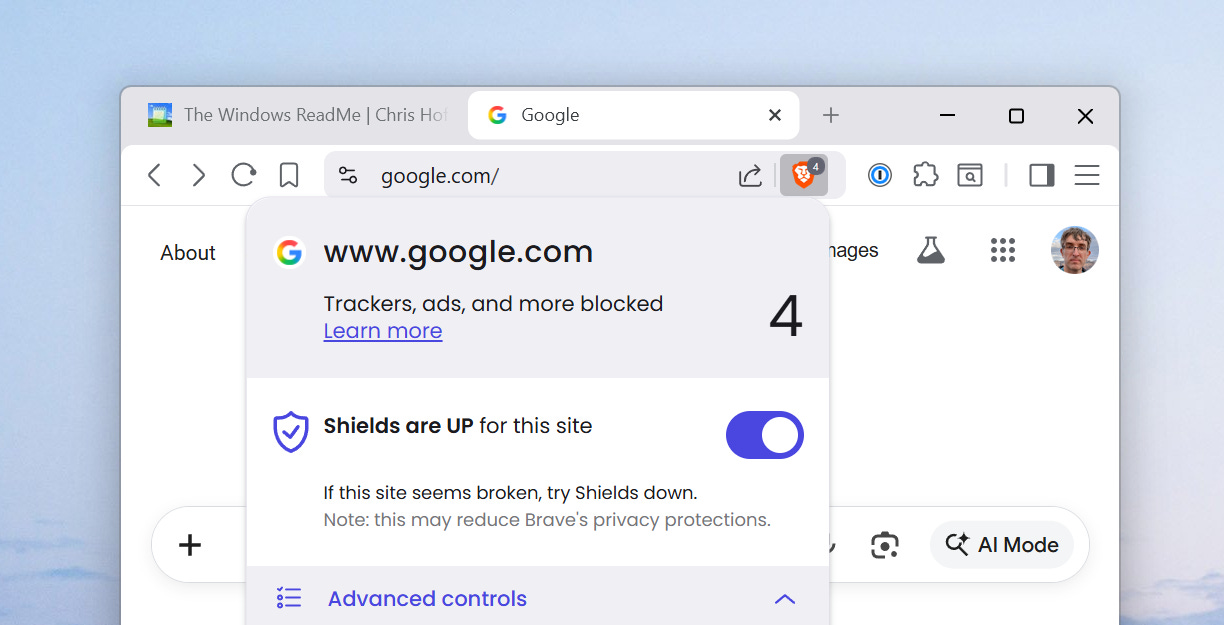
Brave’s built-in adblocker — also known as Brave Shields — is speedy and built in. You can configure it, but you don’t have to.
The classic uBlock Origin extension is available in Firefox and Brave, if you want it. This is the best adblocker.
The new uBlock Origin Lite extension runs in Chrome, Edge, and other Chromium-based browsers. It’s a new version of uBlock Origin Lite designed to play in Google’s Manifest v3 requirements, which restrict what browser extensions can do.
Sometimes, adblockers break things. This doesn’t happen too often, but it does tend to happen most often on financial and shopping websites. If something doesn’t work, turn off your adblocker on that site — you can do it with a few clicks from your browser’s toolbar.
Why I wish you had blocked How-To Geek’s ads a decade ago
The web was designed without any built-in payment schemes — those came later. When all the content online had to be free, there was only one way to fund it: Advertising.
That’s why websites went for more and more ads. A media organization might be paid only half a penny when you clicked its link — but that was something. Google was both the biggest advertising company that would help you monetize your website, and a search engine that would bring readers — and their clicks — to it.
Focusing on ads meant serving advertisers and ad companies instead of readers. It meant we couldn’t write about YouTube downloaders, for example — Google would remove advertisements from people’s websites if they did that. It meant that the best kind of content was the kind with the best ads.
In How-To Geek’s final years as an independent publication before it was sold, “commerce content” — pieces with “buying intent” — were the priority ahead of the Windows and troubleshooting content that people turned to How-To Geek for. In the end as Editor-in-Chief, I was building up a commerce strategy to get the right type of ads rather than delivering what readers historically loved about How-To Geek.
It all followed from the economics of the game. But I wish the web hadn’t been so focused on ads. If everyone had blocked them — or ads were never created — How-To Geek would’ve been different. I always wanted to set up a way for readers to support us directly and not see any ads, but we never did it. I wish How-To Geek had become that kind of publication — one that served readers directly, not advertisers.
I wish the entire online media ecosystem was like that.
On the other hand, maybe the entire media ecosystem would have collapsed without ads! What do I know? 🙂
The security argument for adblockers
By the way: Computer security expert SwiftOnSecurity has been pointing out the advantages of adblocking for years. Websites are full of fake “download” buttons and other harmful things. An organization deploying adblockers across their network is often lowering support costs and boosting security.
In my experience, tech journalists try not to talk about adblockers too much, even though there are strong arguments for using them.
“People can use them if they want, but we shouldn’t encourage people to go find them.” That was my philosophy when I ran How-To Geek — recommending adblockers to readers might have meant laying off my team members. Ouch.
The future of media isn’t a better ad
Blocking ads hurts websites. There’s no way around it. When your browser doesn’t load an ad, the publisher doesn’t get that ad view.
It’s become less trendy for websites to block visitors who use adblockers. Instead, there are other revenue streams: Sponsored articles, for example, and affiliate content that uses affiliate links to deliver small commissions when you buy something. And many publications now ask you to pay to subscribe.
So how do I justify using an adblocker while the media industry still — against all odds — pays my bills?
I’m not sure I can. That’s the tragedy of the commons, right? My adblocking makes a tiny difference at the margins: My browser performs faster, my laptop has more battery life, I see fewer fake download buttons, and my web experience calms down and becomes less flashy.
In return, the websites I visit lose a few pennies. Feels like a fair trade, right? Repeat this over and over and that’s how you end up where we are.
Anyway. The future of online media won’t involve the end of adblockers. It’ll have less of a focus on programmatically loaded advertisements.
After all: The AI models increasingly reading and summarizing written content online aren’t loading ads, either!
What’s new at Thurrott.com
Paul Thurrott doesn’t show ads to his Thurrott Premium subscribers — that’s exactly the kind of experience I wish I had been able to offer at How-To Geek.
Notepad is continuing its transformation into a Copilot-powered Markdown text editor. Microsoft is bringing Xbox Game Pass games to Arm PCs, too. And, for Thurrott Premium subscribers, Paul has a look at a significant update to OneDrive’s file-grabbing behavior.
👋 Until next time!
Hey, great read as always. So, this is the ethics piece you teased?
I like Brave on Android as YouTube ads are automatically blocked