

Have you ever heard of Windhawk? It’s a cult-favorite Windows tweaking tool I’ve been dabbling with for years, and I’ve had readers ask me about it. If you dig through Windows enthusiast communities — on Reddit, in forums, and elsewhere — you’ll find lots of people chatting about Windhawk and sharing how they use it to customize their PCs.
In short: It’s a free tool that lets you install “mods” for Windows and the applications you run.
I’ve been thinking a lot about Windhawk as I contemplate why Microsoft is pursuing the Windows Baseline Security Mode, too. So let’s talk about Windhawk — and the future of Windows.
Why Windhawk is fun (but don’t download it yet)
Imagine moving the taskbar, theming the Start menu, customizing the taskbar clock, making desktop windows translucent, and just generally changing the way Windows and the applications you use behave.
For example, I love making better use of my mouse wheel. With Windhawk, I can activate a mod that lets my switch between browser tabs by rolling my scroll wheel over my browser’s tab bar in Chrome, Brave, Edge. I can install mods that let me position my mouse wheel over the Windows taskbar and scroll to adjust the system volume, too. (You can view the full list of Windhawk mods here.)
Want to theme your taskbar or Start menu so they look totally different? In the screenshot below, I’ve turned Windows 11’s taskbar into a dock-style experience with a transparent background with a few clicks.
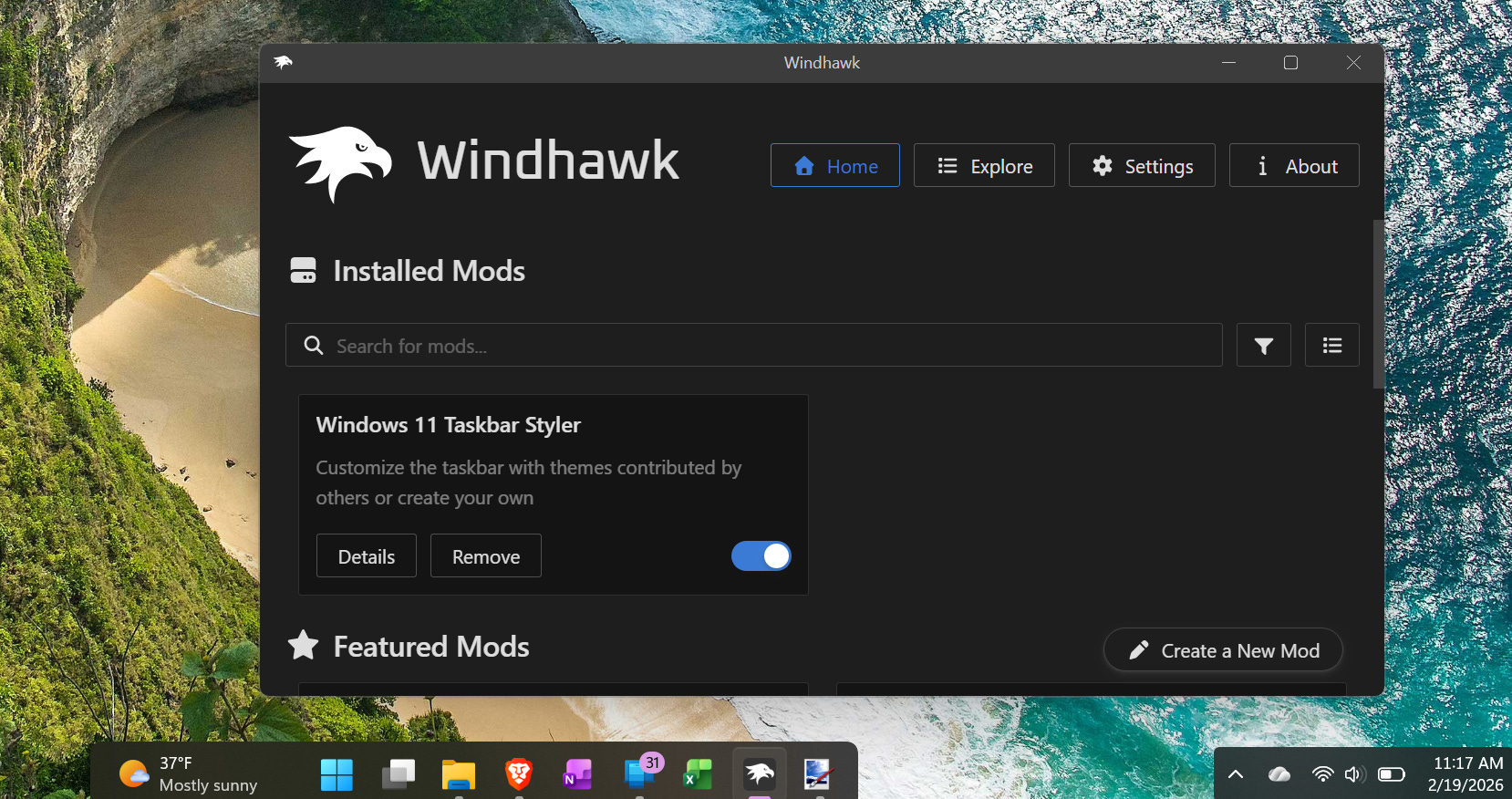
This is awesome. It’s the kind of power that, philosophically, should be available to all PC users out of the box. We should be able to deeply customize how our PCs work. Instead, we’re often fighting product decisions made by distant marketing departments.
Witness Windows 11’s taskbar, for example: While Microsoft will finally make the taskbar movable once again, it took 4-5 years of Windows users begging for this feature to come back before Microsoft decided to begrudgingly return it.
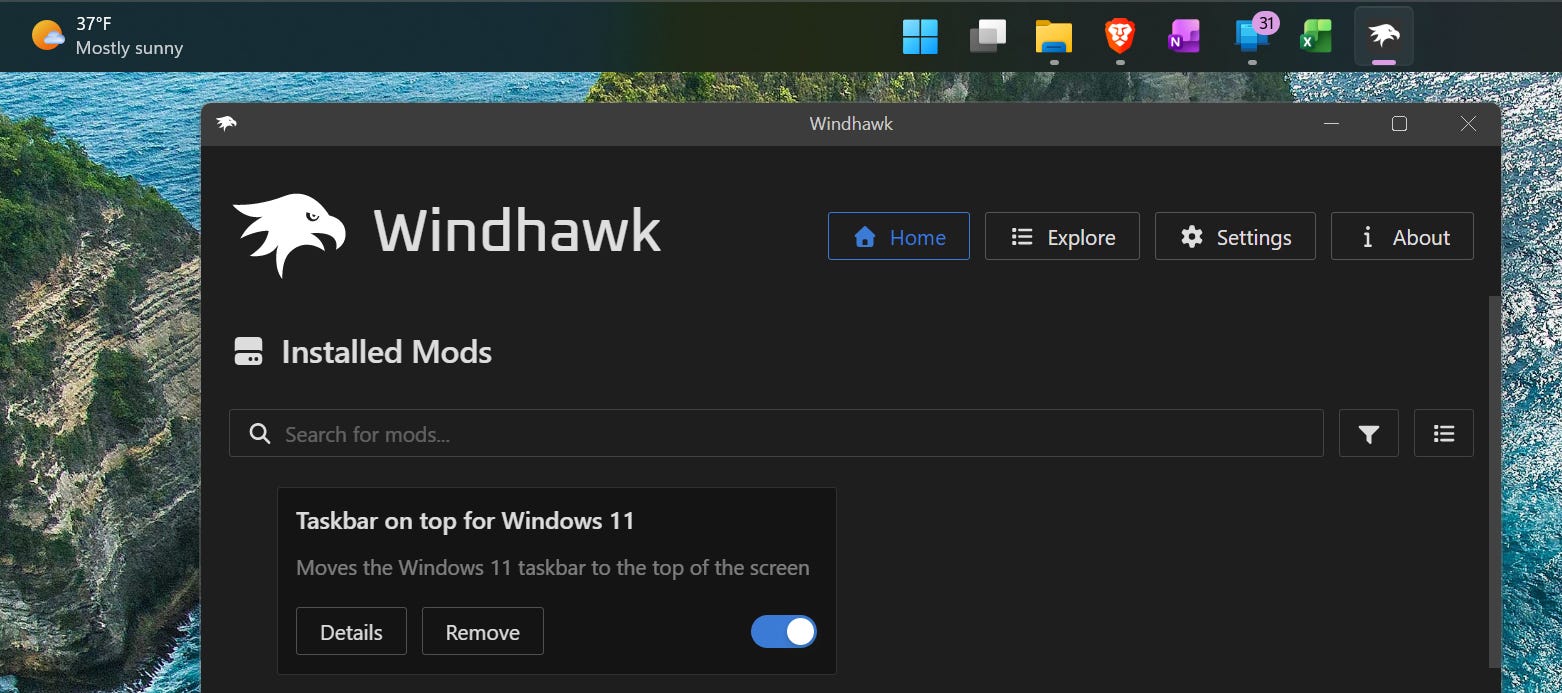
But, although it works, Windhawk isn’t perfect. In fact, as a tech journalist, I can’t “recommend” everyone download and use it. Instead, this piece isn’t a software recommendation: It’s an honest discussion of why Windhawk is awesome — and why you should be careful before using it, anyway.
It’s also a perfect example of the difficult spot Microsoft is in with Windows — trying to serve both people who want to run software like this on their PCs and people who wish their Windows PCs were locked down tight.
Windhawk hooks into running processes
Windhawk functions by injecting its DLL into most processes running on your system. If you’re familiar with Windows, this is already enough to get you at least a little uncomfortable — what does that mean for stability and security? (Here’s the official technical look at how it works and what it does on your PC.)
You can customize that behavior, if you want. But, while the developer says most programs are compatible with Windhawk, it’s possible you may run into bugs and find yourself tweaking its settings to fix problems.
Windhawk may also cause serious problems with PC games that use anti-cheat software. On the project’s explanation page I just linked, there’s a description of how Windhawk hardcodes the default installation paths of many PC games. If you installed games to a different folder — perhaps your Steam folder is on your D: drive — Windhawk will load its DLL into those game processes. You’ll have to go out of your way to exclude that folder to stop it.
As Windhawk may look similar to a cheating program that injects itself into multiplayer games to tamper with gameplay, it could — conceivably — even get your account banned from online play in some games.
A solid open-source reputation (but watch out for the mods)
The good news is that Windhawk and its mods are both open-source. Windhawk is created by Michael Maltsev (Ramen Software), also known as m417z, who also created 7+ Taskbar Tweaker. Unlike many unknown developers with sketchy GitHub projects that may contain malware, Windhawk has as good a pedigree of trust as you’ll find with a tool like this.
The bad news is a usual open-source problem. Yes, Windhawk’s mods are all open-source, and you can view their source code yourself. But many of them aren’t written by the core developer. Do you trust them? Are you equipped to audit their security? Do you want to trust that these mods will behave as advertised and not cause problems? Are you sure they aren’t going to spy on you? I haven’t heard of a problem with Windhawk mods yet, but the potential risks here make me uncomfortable.
When you install a mod, Windhawk warns you that you should “install mods only from authors you trust.” Are you really equipped to make a decision like that? (If you stick with mods from the creator of Windhawk — m417z — at least you aren’t trusting an additional author.)
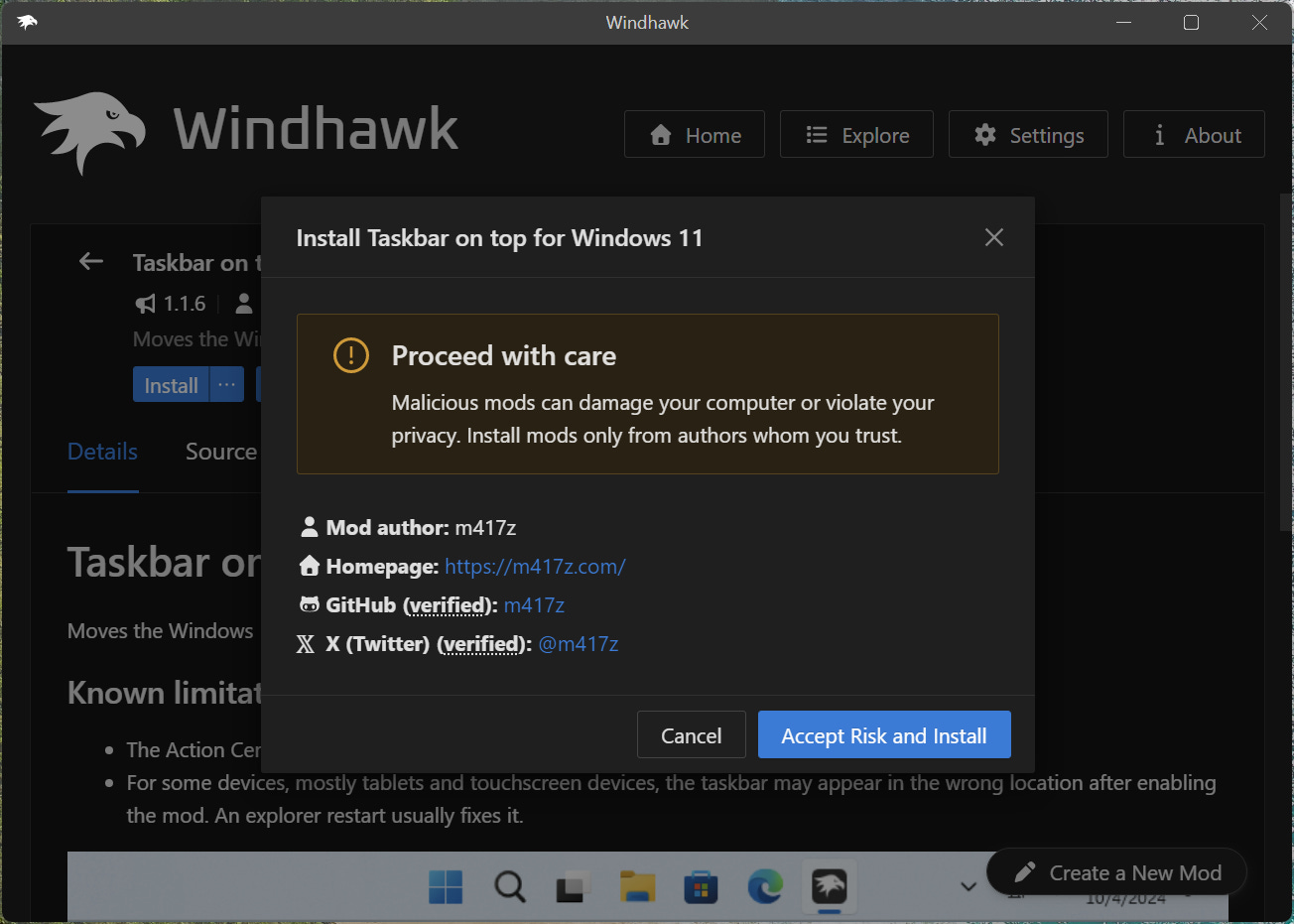
Now you can make an informed decision
So where does that leave my recommendation? All of what I’ve written above is true and accurate to the best of my knowledge! It’s a mixed bag — a complicated picture — and you get to make up your own mind. If I was a Reddit commenter or dropping in on a forum, I might say “Windhawk is awesome. I haven’t had any problems with it.” And that would be enough.
But as a journalist writing for a broad audience, I have a responsibility to pause and say that I can’t exactly recommend you run this. I can’t tell you not to run it, either. Michael Maltsev has done a good job with this program, and it’s been around for a few years now. But it’s also not something I can vouch for — you proceed at your own risk if you use it.
Windhawk and the future of Windows
Windhawk is a perfect example of the power of Windows — and how it can be dangerous.
A locked-down operating system — like Microsoft’s Windows RT — wouldn’t allow you to do anything like this. You’d have to use Windows and your applications as designed. No extra tweaking allowed! But there’d be no risk of instability or other security problems with tools like Windhawk.
In a sense, Microsoft has created the need for tools like this one by refusing to give Windows users the options they want. The taskbar is the perfect example: There’s a whole ecosystem of third-party tools for moving the taskbar — from Windhawk to ExplorerPatcher and Stardock’s Start11 — that are necessary because Microsoft has, for years on end, refused to offer this option. They can cause problems and other bugs. Thankfully, Microsoft is finally relenting on this point, and Windows 11 will soon let you move your taskbar without installing a third-party app.
But other customizations — like taskbar and Start menu themes — will still require third-party tools like Windhawk. Microsoft can never deliver every feature people want as part of the Windows operating system. It’s just not possible.
Windhawk makes me think about the future of Windows, too. Microsoft is talking about a “Windows Baseline Security Mode” that PCs will be in by default, only letting properly signed software run and forcing apps to ask for your permission when they access your files, webcam, microphone, and other resources. According to Microsoft, this will only be a default — you can choose to opt out.
Some people will want to install Windhawk and other tools, treating their PCs as a glorious customization sandbox — even if there’s a risk of breakage. And some people will want Windows locked down tight, ensuring their data is secure — even if their PCs become less customizable.
Going forward, I hope Microsoft will continue offering both options. Your PC should work how you want it to work. Everyone should be able to make their own choices.
The latest from Thurrott.com
As always, I’m sharing the latest links from Paul Thurrott’s website — I’m grateful to have his endorsement! And I recommend following his work if you want to understand Windows — and technology in general.
This week, there’s some Windows Insider Program news. Canary builds are getting extra confusing. And Beta and Release Preview builds delivered a few small new features.
But the big pieces this week are Paul’s guides to “de-enshittifying” your Windows 11 PC for Thurrott Premium subscribers. He’s written up guides to cleaning up a fresh install, purging an existing install, and making Windows 11 respect your privacy. These will also be part of a full book he’s releasing soon!
🦅 Anyway — that’s all for this week. Good luck with the Windows tweaking, whether or not you decide to experiment with tools like Windhawk!
"Do you trust them? Are you equipped to audit their security? Do you want to trust that these mods will behave as advertised and not cause problems? Are you sure they aren’t going to spy on you?"
Presumably anyone running Windows (which fails all of these questions, and has for years) shouldn't have a problem here.